
基础示例
Hello PDF
最简单的 PDF 生成示例:
python
from pdf_generator import PDFReportGenerator

config = {
    "metadata": {"title": "Hello PDF"},
    "elements": [
        {
            "type": "text",
            "content": "Hello PDF Report Generator!",
            "style": "title"
        }
    ]
}

generator = PDFReportGenerator(config_dict=config)
generator.save("output/hello.pdf")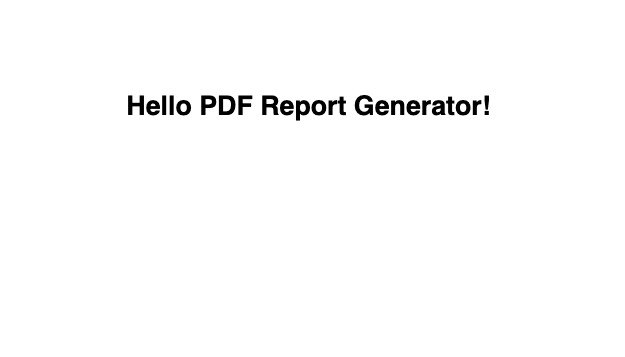
文本样式
使用不同的文本样式:
python
from pdf_generator import PDFReportGenerator

config = {
    "metadata": {
        "title": "文本与样式演示",
        "author": "PDF Generator",
        "date": "2024年12月"
    },
    "styles": {
        "customTitle": {
            "fontSize": 24, "textColor": "#2C3E50",
            "alignment": "center", "bold": True, "spaceAfter": 20
        },
        "customSubtitle": {
            "fontSize": 14, "textColor": "#7F8C8D",
            "alignment": "center", "spaceAfter": 30
        },
        "highlight": {
            "fontSize": 12, "textColor": "#E74C3C",
            "bold": True, "spaceBefore": 10, "spaceAfter": 5
        },
    },
    "elements": [
        {"type": "text", "content": "{{metadata.title}}", "style": "customTitle"},
        {"type": "text", "content": "作者: {{metadata.author}} | 日期: {{metadata.date}}", "style": "customSubtitle"},
        {"type": "spacer", "height": 0.3},

        {"type": "text", "content": "一、使用预设样式", "style": "Heading1"},
        {"type": "text", "content": "系统提供了 Title、Heading1、Heading2、Heading3、Normal 等预设样式。", "style": "Normal"},

        {"type": "text", "content": "1.1 Heading2 样式", "style": "Heading2"},
        {"type": "text", "content": "这是一段 Normal 样式的正文文本。", "style": "Normal"},
        {"type": "spacer", "height": 0.2},

        {"type": "text", "content": "二、自定义样式", "style": "Heading1"},
        {"type": "text", "content": "⚠ 重要提示", "style": "highlight"},
        {"type": "text", "content": "自定义样式可以完全控制字体大小、颜色、粗细、对齐和间距。", "style": "Normal"},
    ]
}

generator = PDFReportGenerator(config_dict=config)
generator.save("output/text_styles.pdf")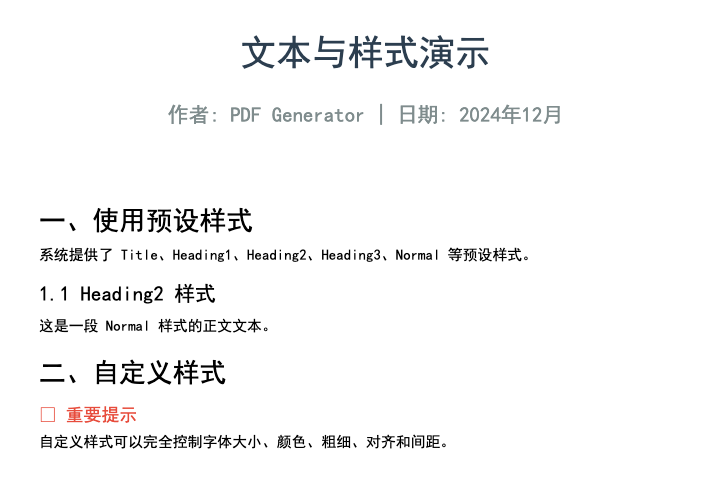
简单表格
python
from pdf_generator import PDFReportGenerator

config = {
    "metadata": {"title": "简单表格示例"},
    "styles": {
        "blueTable": {
            "gridColor": "#BDC3C7", "headerBackground": "#3498DB",
            "headerTextColor": "#FFFFFF", "fontSize": 10, "padding": 8
        },
        "greenTable": {
            "gridColor": "#95A5A6", "headerBackground": "#27AE60",
            "headerTextColor": "#FFFFFF", "fontSize": 10, "padding": 6
        }
    },
    "elements": [
        {"type": "text", "content": "{{metadata.title}}", "style": "Title"},
        {"type": "spacer", "height": 0.3},

        {"type": "text", "content": "表格1:自定义列宽(蓝色主题)", "style": "Heading2"},
        {
            "type": "table",
            "data": [
                ["产品", "Q1销量", "Q2销量", "Q3销量", "Q4销量"],
                ["笔记本", "120", "145", "160", "180"],
                ["台式机", "80", "90", "95", "100"],
                ["平板", "200", "220", "250", "280"],
                ["手机", "350", "380", "400", "420"],
            ],
            "style": "blueTable",
            "columnWidths": [2.0, 1.2, 1.2, 1.2, 1.2],
        },
        {"type": "spacer", "height": 0.5},

        {"type": "text", "content": "表格2:自定义行高(绿色主题)", "style": "Heading2"},
        {
            "type": "table",
            "data": [
                ["姓名", "年龄", "部门", "职位"],
                ["张三", "28", "技术部", "高级工程师"],
                ["李四", "32", "销售部", "销售经理"],
                ["王五", "25", "市场部", "市场专员"],
                ["赵六", "35", "技术部", "架构师"],
            ],
            "style": "greenTable",
            "columnWidths": [1.5, 1.0, 1.5, 2.5],
            "rowHeights": [0.4, 0.6, 0.6, 0.6, 0.6],
        },
    ]
}
generator = PDFReportGenerator(config_dict=config)
generator.save("tests/output/simple_table.pdf")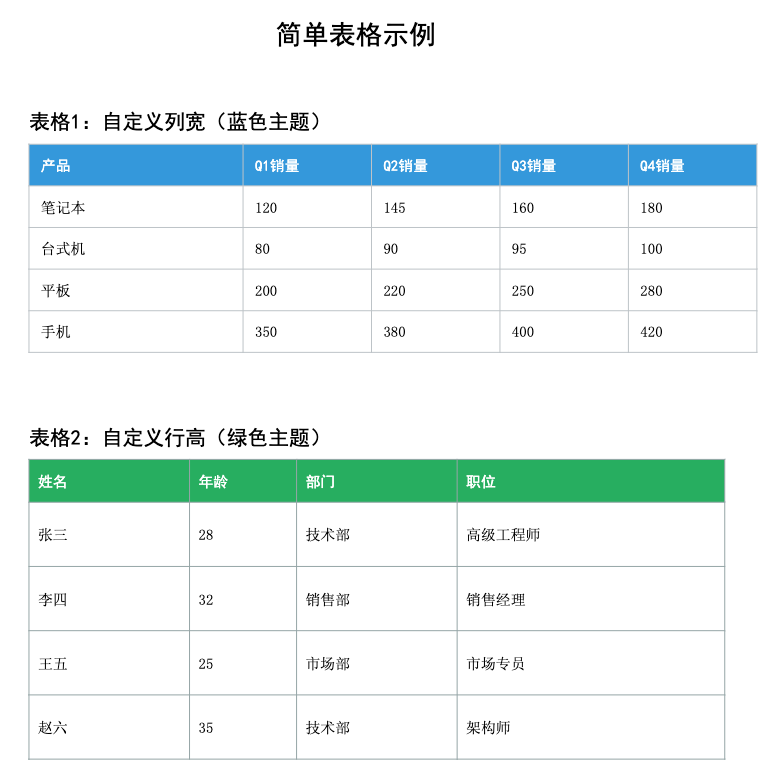
图片插入
python
from pdf_generator import PDFReportGenerator

config = {
    "metadata": {"title": "图片插入示例"},
    "elements": [
        {"type": "text", "content": "{{metadata.title}}", "style": "Title"},
        {"type": "spacer", "height": 0.3},

        # 居中对齐 + 保持比例
        {"type": "text", "content": "1. 居中对齐(保持宽高比)", "style": "Heading2"},
        {"type": "text", "content": "width=400, height=200, keepAspectRatio=True, alignment=center"},
        {
            "type": "image",
            "path": "examples/demo.png",
            "width": 400,
            "height": 200,
            "alignment": "center",
            "keepAspectRatio": True
        },
        {"type": "spacer", "height": 0.5},

        # 左对齐 + 固定尺寸
        {"type": "text", "content": "2. 左对齐(固定尺寸,不保持比例)", "style": "Heading2"},
        {"type": "text", "content": "width=200, height=100, keepAspectRatio=False, alignment=left"},
        {
            "type": "image",
            "path": "examples/demo.png",
            "width": 200,
            "height": 100,
            "alignment": "left",
            "keepAspectRatio": False
        },
        {"type": "spacer", "height": 0.5},

        # 右对齐 + 小尺寸
        {"type": "text", "content": "3. 右对齐(小尺寸)", "style": "Heading2"},
        {"type": "text", "content": "width=150, height=75, alignment=right"},
        {
            "type": "image",
            "path": "examples/demo.png",
            "width": 150,
            "height": 75,
            "alignment": "right",
            "keepAspectRatio": True
        },
        {"type": "spacer", "height": 0.5},

        # 大图展示
        {"type": "text", "content": "4. 全宽展示", "style": "Heading2"},
        {"type": "text", "content": "width=550, height=275, alignment=center"},
        {
            "type": "image",
            "path": "examples/demo.png",
            "width": 550,
            "height": 275,
            "alignment": "center",
            "keepAspectRatio": False
        },
    ]
}

generator = PDFReportGenerator(config_dict=config)
generator.save("output/image_example.pdf")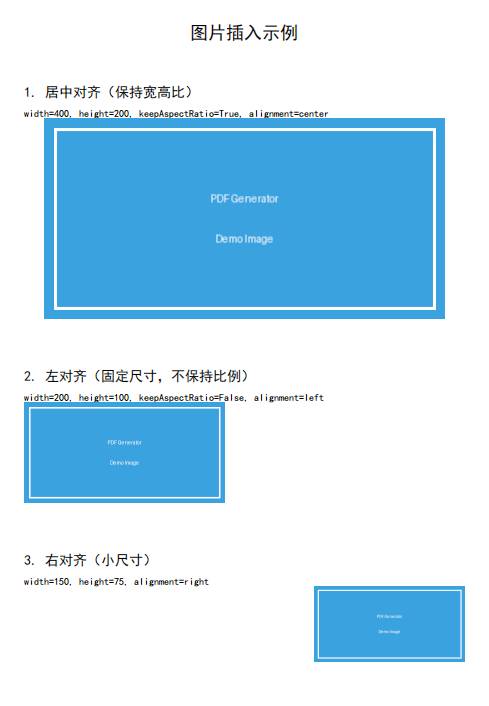
分页控制
python
from pdf_generator import PDFReportGenerator

config = {
    "metadata": {"title": "分页示例"},
    "elements": [
        {"type": "text", "content": "第一页内容", "style": "title"},
        {"type": "text", "content": "这里有一些内容..."},
        {"type": "pagebreak"},
        {"type": "text", "content": "第二页内容", "style": "title"},
        {"type": "text", "content": "分页后的内容..."}
    ]
}

generator = PDFReportGenerator(config_dict=config)
generator.save("output/page_break.pdf")